Caption looks
The caption look is how the words of your video appear on screen. Garren shows every look in the caption gallery as a short preview on the same sentence, so you see what you get before you pick. A look changes only the captions: your style keeps its graphics, zooms and music.
The gallery

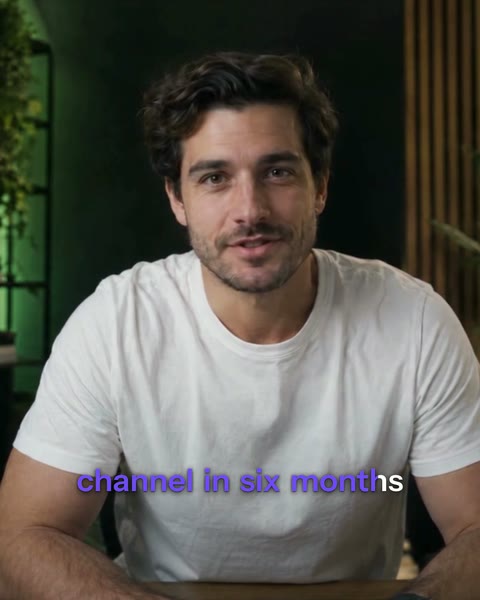
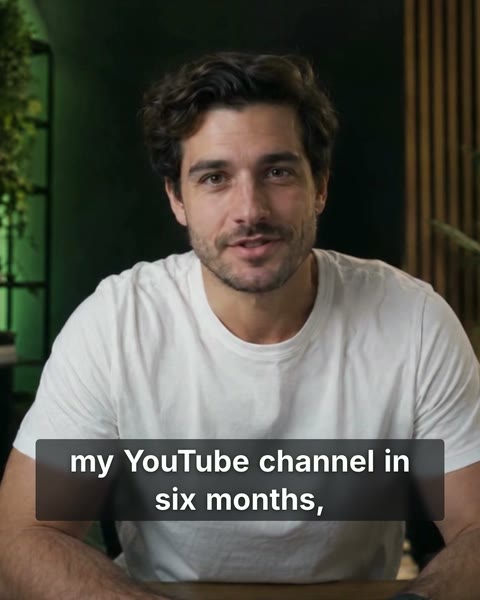


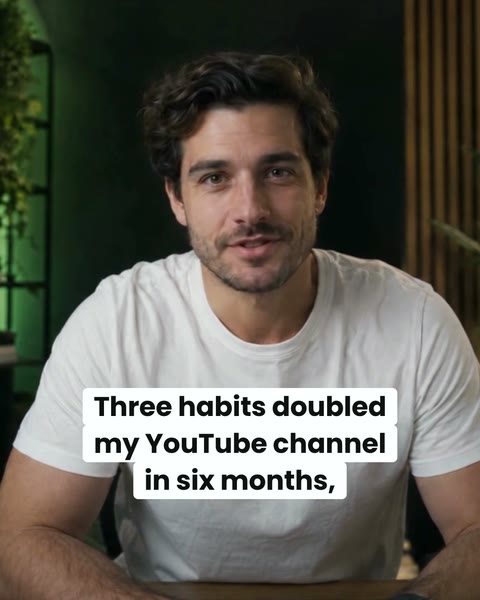

The first tile is always Your style's captions: the captions your style was made with (for No style, Garren's captions). It's picked until you pick something else.
| Look | What it does |
|---|---|
| Word pop | Bold capitals, one to three words at a time. Each word pops in as you say it, the spoken word in colour. |
| Karaoke | A short line shows, and each word fills with colour as you say it. |
| Line | Calm subtitles, a full line at a time, on a soft dark box. |
| Minimal | Small, light subtitles that stay out of the way. |
| Stack | Two tight white lines across your chest. Each line is as large as it fits, and each word fades in where it stands as you say it. |
| Hook | Your first sentence as a headline on boxes, then small subtitles, three words at a time. |
| Focus | One white line low in the frame. Each word comes into focus as you say it, out of a soft blur and into place. |
Every look comes with its whole design: font, size, colours and place on the frame. That's why the preview and your video look the same.
Size and colour
Under the tiles there are two settings:
- Size: Normal is the look's own size, Large is 20% bigger. No captions switches them off; picking a look or a size brings them back.
- Colour, for the looks that have one: White, or your Brand colour. In Word pop it's the spoken word, in Karaoke the fill, in Hook the headline boxes. Line, Minimal, Stack and Focus are white by design. The letters on a Hook box turn white or dark, whichever reads better.
Your brand colour is the colour of your style's graphics, or the one you picked for a ready-made style. A colour that's almost black or white (like Mono's) starts in white.
Where you pick a look
For one video, before it's edited. On the New video page, the Captions line right under the styles shows what the video gets, for example "Captions: Stack · Normal size". Change opens the gallery: pick a tile, the size and the colour, then Done. The rest of the video follows the style.
For every video in a style. On the style's page in the Style Lab, the same gallery sets the look its videos start in. A custom style keeps the captions from your references as its first tile, From your references; the detailed controls (font, size, height, letters, colours, lines, background) are under Fine-tune the captions. Each video can still pick another look.
After the render. In the review room's Style tab, tap another look, size or colour. You get a preview of a few seconds first, starting at the next caption where you are in the video. Accept it, then Render: only the parts with captions are rendered again, the rest of the video and the sound stay as they are. It goes into every frame of the video (16:9, 9:16, 4:5). A new caption look is free, it doesn't count as a chat change. Tapping another tile before you accept replaces the preview. See Change the style after the render.
In the chat. Ask for it: "use the Stack captions" or "captions like the Hook look". This counts as a change in chat and keeps your style's caption font and colours for Word pop, Karaoke, Line and Minimal.
Stack
Up to three words a line and two lines at a time, in white Inter Tight with the letters set close together. A long line is set smaller so it fits; a short one stays big. Each word fades in from left to right when you say it (from the right in Arabic and Hebrew). When a sentence ends, the next one starts on a new line; a pause or a comma starts a new block. There's no highlight colour and no outline, only a soft shadow so the words read on light clothes too.
Hook
The first sentence of your video becomes a headline in bold letters on boxes, one box per line. A long first sentence (more than about 14 words) is cut at a comma or before a word like "but" or "and". After the headline, the captions are small white subtitles, three words at a time, with your punctuation. They change with your speech, with no animation.
The headline needs a first sentence that starts within the first 4 seconds and has at least three words. Without one, Hook shows only the subtitles.
The boxes are white, or in your brand colour. If your video already has a brand colour of its own (picked for a ready-made style, or set in the Style tab or the chat), the boxes start in it.
Focus
One line at a time, up to six words (four on a phone frame), in white Inter Tight with a deep, layered shadow, so it reads on a white shirt or a bright window too. Each word comes into focus as you say it: it starts soft and blurred, rises a little and settles in place. When the next line comes, the old one leaves with a quick blur. Focus is the caption look of Mono, and any other style can use it too.
Frames and languages
Every look works in 16:9, 9:16 and 4:5, each in its own place on the frame: on vertical frames the captions sit above the platform's buttons. They work in every language Garren transcribes: right-to-left scripts read from the right, and Japanese and Chinese are grouped into short phrases.
See also Levels: Off, Normal, High.
Still stuck?
Report a bug or share an idea in the support chat, or write to us.